
QuickMD - Online Healthcare
QuickMD - A Telemedicine Urgent Care ServiceMedical
4.81.26K Reviews
- Version
- 24.1263.232547
- Installs
- 100.00K
- Age Rating
- Everyone
Screenshots
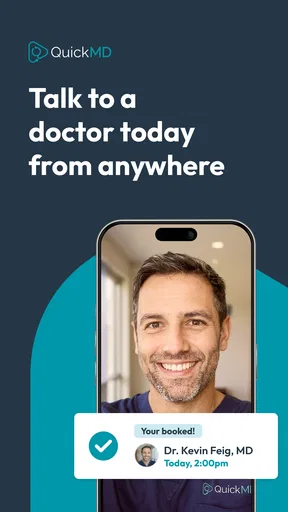
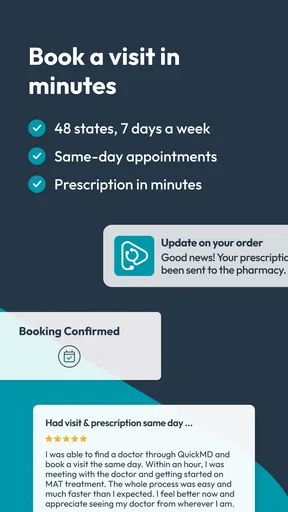
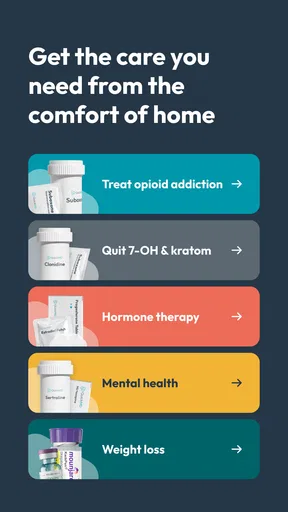
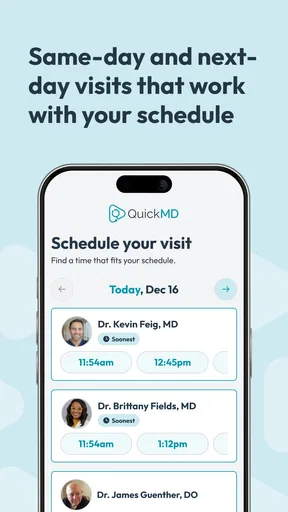
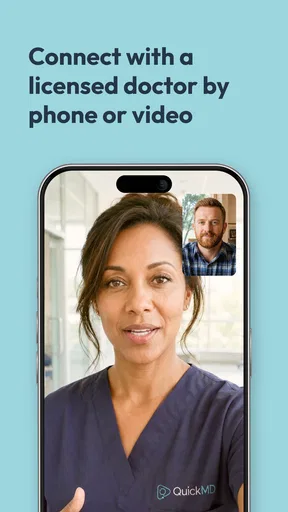
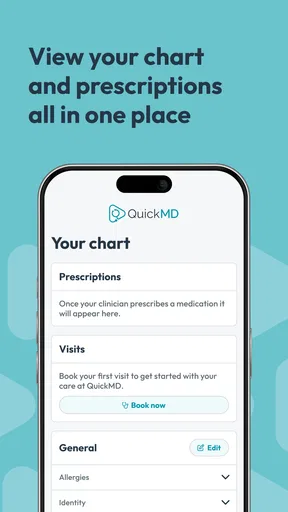
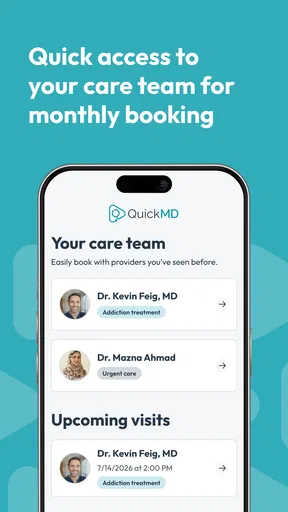

Our Review of QuickMD - Online Healthcare
 Analysis by Appyee
When I need medical guidance but do not want to spend hours arranging an in-person visit, QuickMD - Online Healthcare is the kind of app I would keep available on my phone. It is a free medical app from QuickMD - A Telemedicine Urgent Care Service, built around telehealth visits seven days a week. That focus makes it useful for everyday health concerns that feel important enough to address but do not obviously call for an emergency department.
My overall impression is practical rather than flashy. The app’s value comes from reducing the effort between realizing I need care and starting a conversation with a healthcare professional. It is not a replacement for emergency services, a long-term relationship with a primary-care clinician, or an examination that requires hands-on assessment. Used for the right situation, though, it can be a convenient first step.
How QuickMD fits into a real healthcare routine
The clearest way to understand this app is to think of it as a bridge between searching the internet and traveling to a clinic. If I wake up with a common illness, need medical advice outside a convenient office schedule, or want to discuss a concern without sitting in a waiting room, a telehealth visit can remove several practical barriers. The seven-day availability is especially relevant for people whose work, school, childcare, or transport makes weekday appointments difficult.
A realistic example would be a Sunday morning when I develop symptoms that are uncomfortable but not immediately life-threatening. Instead of guessing from search results or waiting until the next working day, I could use the app to seek a professional assessment. I would still need to describe the symptoms accurately, explain when they began, mention relevant medical history, and follow any instructions carefully. The app can make access easier, but it cannot make an incomplete description medically reliable.
I also see value for people who are comfortable with smartphones but dislike calling clinics. A digital visit can feel less intimidating than navigating phone menus, especially when the main goal is to explain a straightforward concern. On the other hand, anyone who struggles to communicate symptoms through a screen may be better served by a local clinician who can examine them directly.
The current app is available at no cost, which lowers the barrier to trying the service itself. That should not be confused with a promise that every possible healthcare outcome or external medical expense is free. Before starting a visit, I would pay close attention to the information shown during the process and make sure I understand any practical or financial conditions connected with the care I am seeking.
What the current version suggests about the product
The current version is 24.1263.232547, while the app’s minimum operating-system requirement is Android 9. That combination tells me the service has continued moving forward while remaining accessible to users who are not running the newest phones. For someone with an older but still supported Android device, that is a useful balance: I do not need to replace a phone simply to explore the app.
QuickMD first appeared on October 25, 2019, so this is not a brand-new experiment in mobile healthcare. Its presence in the medical category, together with an average rating of 4.8 from around 4.5 thousand ratings, suggests that many users find the overall experience worthwhile. The app has also passed the threshold of over 100 thousand installs, giving it a meaningful user base without making popularity the only reason to trust it.
I would treat those figures as signals of user satisfaction and reach, not as proof that every visit will be smooth. Telehealth experiences can depend on the urgency of the issue, the clarity of the information provided, device quality, connection stability, and the clinical judgment required. A strong rating cannot remove those variables.
How the app’s evolution affects people who already use it
For existing users, a newer version can matter less through visible redesign and more through everyday reliability. With a service like this, small improvements to the visit flow, account handling, or communication experience can make the difference between feeling prepared and feeling stuck. I would update the app before I actually need care, rather than waiting until I am ill and discovering that the phone requires an update at the worst possible moment.
That preparation is one of my strongest practical recommendations. Install the app while you are well, open it, check that it works on your device, and become familiar with the path toward a visit. Keep your basic health information nearby, including current medicines, allergies, previous diagnoses, and the timeline of the problem you want to discuss. This turns the app from an emergency download into a ready-to-use healthcare tool.
Returning users should also review what they type before submitting it. Telehealth depends heavily on the quality of the history. A short note such as “I feel sick” is much less useful than a clear description of symptoms, their severity, what has changed, and what has already been tried. I find that writing a brief timeline first helps prevent important details from being forgotten during a video or remote consultation.
Another useful workflow is to separate the reason for the visit from the questions I want answered. The first explains why I need care; the second helps me leave the consultation with a clear plan. I would ask what warning signs should prompt urgent in-person care, what improvement should look like, and what I should do if the symptoms continue. Those questions are valuable in any telehealth service, but the app’s convenience makes it easier to prepare rather than rush.
Where QuickMD is genuinely convenient
The main strength is access. Telehealth can be a better fit than a clinic for concerns that can be assessed through conversation and, where available, visual information. It may also be useful when leaving home is difficult, when transport is unreliable, or when a person wants to avoid exposing others to a contagious illness while seeking advice.
The seven-day schedule is another meaningful advantage. Healthcare is not limited to the hours when many offices are open, and symptoms do not follow a Monday-to-Friday timetable. I would not assume that availability guarantees an immediate consultation at every moment, but the broader schedule makes the service more relevant to evenings and weekends than a conventional appointment system.
The app can also help users decide what to do next. Sometimes the most useful outcome of a remote visit is not a prescription or a quick answer, but a clearer level of urgency. A clinician may help distinguish between monitoring a manageable problem, arranging an in-person appointment, or seeking more immediate attention. That kind of direction is more responsible than relying on a random online search.
Its Everyone content rating is reassuring for households where several people may use the same type of device, although an age label is not a substitute for adult judgment about a child’s health. For minors or vulnerable family members, I would make sure the responsible adult understands the consultation process and can provide accurate medical history.
The trade-offs that are easy to overlook
The first limitation is the screen itself. A remote clinician cannot perform every physical examination, take every measurement, or observe a patient in the same way as someone in the room. A camera may help with visible symptoms, but it does not recreate hands-on assessment. If the concern involves severe pain, breathing difficulty, chest pressure, sudden weakness, major injury, uncontrolled bleeding, confusion, or another potentially dangerous change, I would not use a telehealth app as my only response. Emergency services or urgent in-person care are more appropriate.
The second limitation is communication quality. A weak connection, poor lighting, a noisy room, or a rushed explanation can reduce the usefulness of a visit. Before starting, I would find a private, well-lit place and use a stable connection if possible. Having the medicine packaging or a written list nearby is better than trying to remember names and doses from memory.
The third trade-off is that convenience can encourage people to treat every problem as suitable for remote care. That is a mistake. A telehealth consultation works best when the symptoms can be explained clearly and the clinician has enough information to make a safe recommendation. If the situation is complex, rapidly changing, or dependent on a physical examination, a local healthcare professional is the better choice even if the app is easier.
There is also a human limitation. Some people feel reassured by sitting with a clinician face to face, while others find digital communication more comfortable. I would choose QuickMD when speed and access matter more than an ongoing personal relationship. For chronic conditions requiring repeated monitoring, coordinated records, or detailed physical checks, my regular healthcare provider would usually remain the stronger foundation.
QuickMD compared with the usual alternatives
Compared with searching symptoms on the web, the app offers the possibility of professional interaction rather than a collection of general explanations. Search engines are useful for learning vocabulary and preparing questions, but they can also amplify anxiety and cannot assess an individual situation. I would use online information to organize my thoughts, not to replace a clinical conversation.
Compared with visiting an urgent-care clinic, QuickMD may save travel and waiting-room time when the problem is appropriate for remote assessment. The clinic has the opposite advantage: staff can examine the patient directly and may be able to perform checks that a phone-based encounter cannot support. The decision should depend on the medical issue, not only on convenience.
Compared with a primary-care appointment, the app is better suited to immediate access than continuity. A regular clinician knows a patient’s history and can connect today’s concern with previous treatment. QuickMD is more attractive when that clinician is unavailable, the issue is time-sensitive but not an emergency, or arranging a routine appointment would create an unnecessary delay.
Compared with a generic video-chat tool, a dedicated medical service is more naturally organized around healthcare visits. That does not mean the digital format removes the need for preparation or judgment. I would still choose the platform based on whether it fits the concern, the required level of examination, and the follow-up plan.
Who should use it, and who should choose something else
I think QuickMD is a strong option for adults who want a convenient way to seek telehealth care seven days a week, especially when travel or clinic schedules are the main obstacles. It may also suit people who can describe symptoms clearly, have a reliable device, and understand that remote care has limits.
I would be more cautious recommending it as the sole option for someone with a serious or rapidly worsening condition, a problem that clearly needs physical examination, or a complicated medical history that depends on coordinated long-term care. I would also avoid making it the only plan for a child or dependent person when the caregiver cannot provide a complete history. In those situations, an in-person clinician or emergency service may be safer.
One non-obvious benefit is that the app can serve as a decision point rather than a final destination. If the clinician advises an in-person visit, that is not a failure of telehealth; it is a useful escalation. The mistake would be treating remote access as successful only when it resolves everything digitally. Good healthcare sometimes means being directed to the right next setting.
What I would watch as the app continues to develop
For future updates, I would pay attention to how consistently the app handles the complete journey: preparing for a visit, connecting with care, understanding the outcome, and knowing what to do afterward. A polished opening screen matters less than a clear, dependable path through those stages. Existing users will notice whether updates reduce friction or simply change the appearance.
I would also watch how well the service balances speed with safe triage. Fast access is valuable, but the app should help users recognize when remote care is not enough. Clear guidance around escalation, follow-up, and urgent warning signs would make the convenience more responsible, especially for people who are unsure which level of care they need.
Another area worth watching is support for continuity. A single consultation can solve a short-term problem, but patients with recurring or complex concerns need a coherent understanding of what happened and what comes next. The more effectively an app helps users carry useful information into follow-up care, the more valuable it becomes beyond the first visit.
My final assessment
After looking at QuickMD as a day-to-day medical tool rather than simply a download, I see a focused service with a clear purpose. It makes telehealth easier to consider when a clinic visit is inconvenient, particularly because visits are offered seven days a week. Its free access, Everyone rating, support for Android 9 and later, and current version 24.1263.232547 make it approachable for a broad range of users.
I would recommend installing it before an illness occurs, preparing accurate health information, and using it for concerns that can reasonably be assessed remotely. I would not use it to delay emergency care, replace a trusted primary-care relationship, or force a digital solution onto a problem that needs hands-on examination.
My bottom line is simple: QuickMD is most useful when you treat it as a convenient doorway to professional guidance, not as a substitute for every form of medical care. That distinction keeps expectations realistic and lets the app do what it does best: reduce the practical distance between a health concern and an appropriate next step.
Verdict
Strengths of QuickMD - Online Healthcare
- Connects users with licensed providers through convenient virtual visits.
- Offers treatment options for several common, non-emergency health concerns.
- Prescription services may be available when clinically appropriate.
- Can reduce travel and waiting-room time for routine consultations.
- Useful for follow-up care and accessing medical advice from home.
Limitations of QuickMD - Online Healthcare
- Not suitable for emergencies or conditions requiring an in-person examination.
- Provider availability and response times can vary by location and demand.
- Consultation and prescription eligibility may differ by state or region.
- Insurance coverage and out-of-pocket costs may not be clear beforehand.
- Some diagnoses require tests or physical exams unavailable through telehealth.
Similar Picks in This Category
View All
WebMD: Symptom Checker
WebMD, LLC4.1

Microphone Amplifier
DOSA Apps4.2

Anatomy Learning - 3D Anatomy
3D Medical OU4.5

Period Tracker and Calendar
SimpleInnovation4.9

GoodRx: Prescription Coupons
GoodRx4.8

CVS Health
CVS Pharmacy4.5
Frequently Asked Questions
What is QuickMD - Online Healthcare, and how does it work?
QuickMD is a telehealth service that lets you connect with licensed healthcare providers through your phone or another compatible device. After creating an account, you typically describe your symptoms, select an available appointment or consultation option, and communicate with a provider by video or messaging. The clinician can offer medical guidance, discuss treatment options, and, when appropriate, send a prescription to a participating pharmacy.
Can I use QuickMD for emergencies or serious medical conditions?
No. QuickMD is intended for non-emergency healthcare needs and should not replace immediate medical attention. If you are experiencing chest pain, severe breathing problems, signs of a stroke, uncontrolled bleeding, loss of consciousness, or another potentially life-threatening symptom, call your local emergency number or go to the nearest emergency department. The app is more suitable for routine concerns, minor illnesses, consultations, and certain follow-up needs.
Can QuickMD providers prescribe medication?
A QuickMD provider may prescribe medication when it is medically appropriate and permitted by local laws, professional licensing rules, and the provider’s clinical judgment. A prescription is not guaranteed simply because you request one, and some medications, including certain controlled substances, may be excluded. Availability can also depend on your state, medical history, diagnosis, pharmacy, and whether an in-person examination is necessary.
How much does QuickMD cost, and does insurance cover the visit?
The price of a QuickMD consultation can vary according to the type of visit, the service selected, your location, and any current membership or promotional terms. Some appointments may be paid out of pocket, while insurance acceptance and reimbursement can differ by plan and provider. Before completing payment, review the displayed fee carefully and check whether prescriptions, laboratory services, or follow-up care involve additional charges.
What information should I prepare before using QuickMD?
Before starting a consultation, prepare a clear description of your symptoms, when they began, what makes them better or worse, and any treatments you have already tried. It is also helpful to have your medication list, allergies, medical conditions, pharmacy details, and insurance information available. Use a reliable internet connection and a private, well-lit location so you can communicate comfortably with the healthcare provider.
